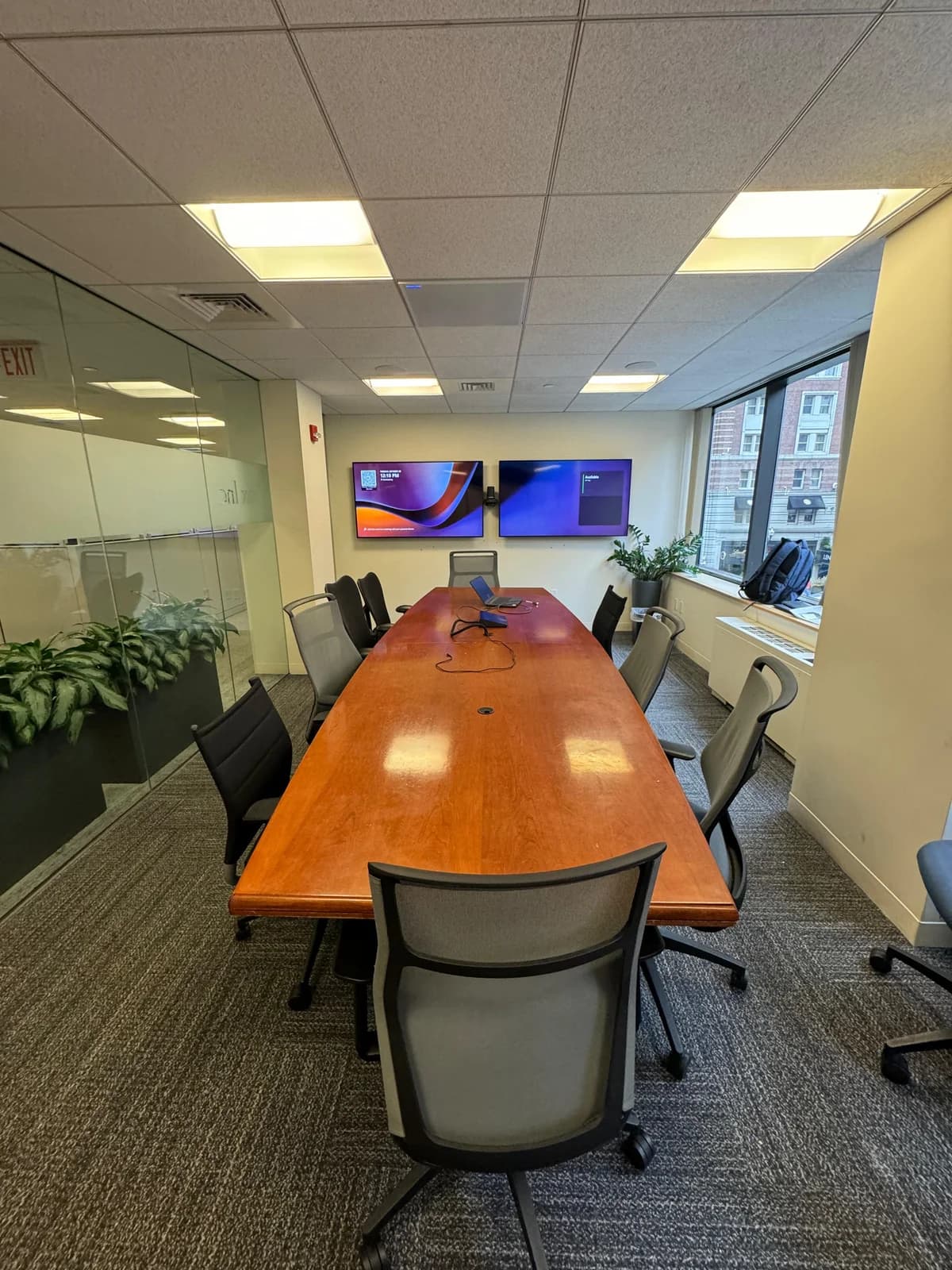
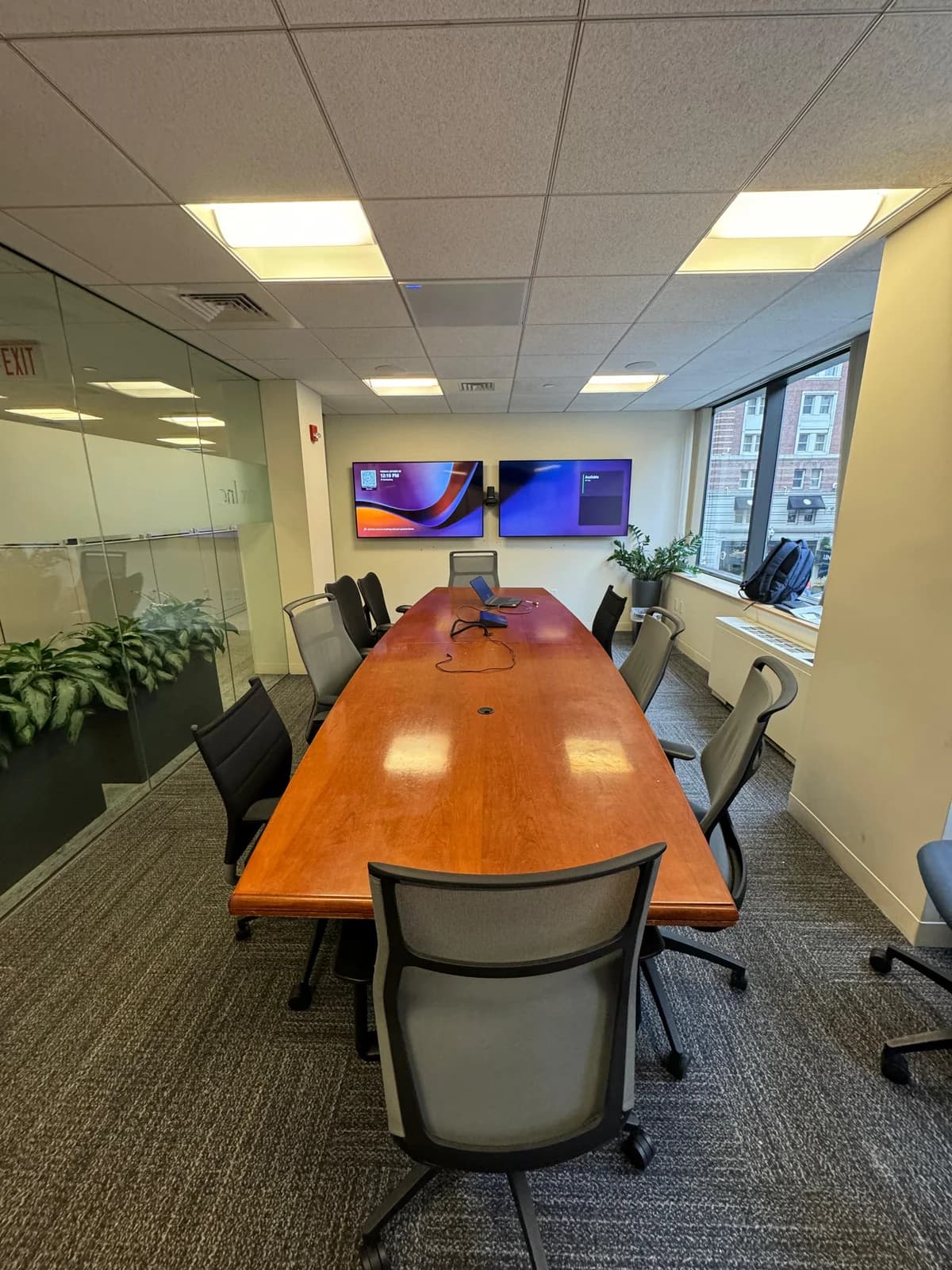
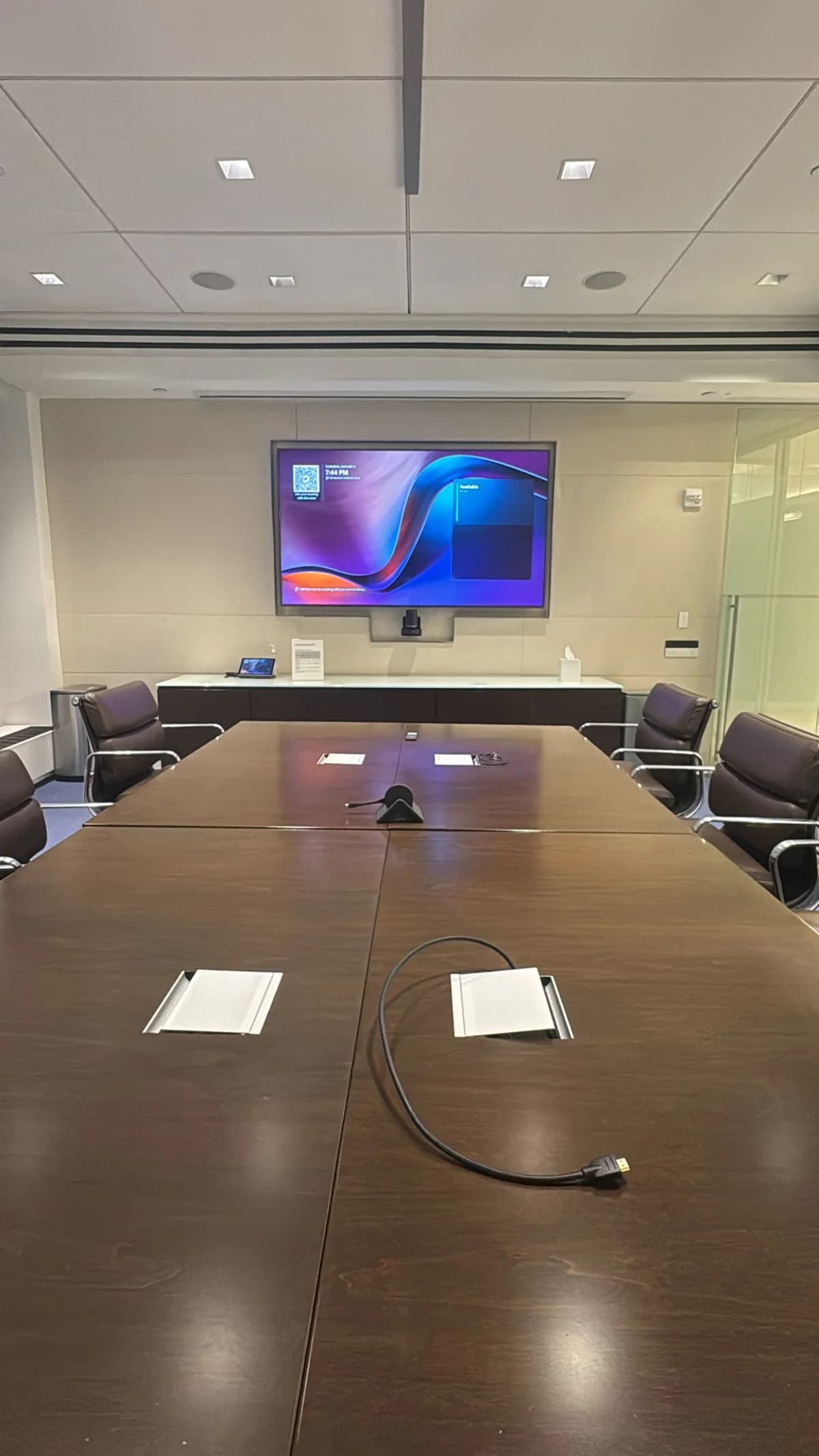
The most important decision for any conference room isn't which camera to buy — it's which video platform your company uses. The hardware follows from that choice.
Who's this for? Office managers in NYC comparing video conferencing hardware options for huddle rooms, conference rooms, or boardrooms — and trying to avoid expensive mistakes.
This guide walks through platform choice, hardware brands, what "certified" means, and the most common mistakes we see in NYC offices.
The short answer
- Pick your platform first: Zoom, Microsoft Teams, or Google Meet. Hardware is certified for specific platforms — buy the wrong brand and you lose key features.
- For most NYC offices (rooms up to 10 people): an all-in-one video bar handles camera, mic, and speaker in one device. No custom programming needed.
- For boardrooms and town halls (10+ people): you need component systems with separate ceiling mics, PTZ cameras, and professional control panels.
- Add a scheduling panel for any office with 3+ conference rooms — eliminates double-booking.
- Our corporate AV services cover equipment, mounting, cabling, and configuration. Book a consultation and we'll recommend the right system.
Setting up a conference room for video calls should be simple. Between Zoom Rooms, Microsoft Teams Rooms, Google Meet hardware, all-in-one bars, and component systems — the number of decisions multiplies fast.
We install conference room AV systems in NYC offices every week. This guide breaks down the actual decision-making process: which platform, which hardware brand, and how to avoid the expensive mistakes we see constantly.
The most important decision isn't the camera or the soundbar — it's which video conferencing platform your company uses. The hardware follows from that choice.
| Feature | Zoom Rooms | Teams Rooms | Google Meet |
|---|
| Monthly cost per room | $49 | $0–$40 | $0–$25 |
| Hardware ecosystem | Largest | Medium | Smallest |
| Interop with other platforms | Good | Fair | Limited |
| Calendar integration | Zoom, Google, Outlook | Outlook (native) | Google (native) |
| AI features | AI Companion | Copilot, intelligent speaker | Noise cancellation, auto-frame |
| Setup complexity | Medium | Medium-High | Low |
Zoom Rooms — Best for companies already on Zoom. Supports the widest range of third-party hardware. $49/month per room on top of your Zoom Workplace plan. Best wireless screen sharing of the three.
Microsoft Teams Rooms — Best for Microsoft 365 organizations. Deep Outlook calendar integration, Front Row layout puts remote participants at eye level, and intelligent speaker identifies who's talking in transcripts. Teams Rooms Pro is $40/month per room.
Google Meet — Best for Google Workspace organizations. Simplest setup (boots fast), lowest license cost. Smallest hardware ecosystem and limited interoperability (ability to join other platforms' calls) with Zoom and Teams.
Our read: About 60% of NYC companies we work with use Microsoft Teams and 35% use Zoom. Google Meet is growing but still a distant third in the NYC corporate market. If you're not sure, Zoom Rooms gives you the most hardware flexibility.
Step 2: Choose Your Hardware Brand
We install and support hardware from these manufacturers. They fall into two tiers based on price and complexity.
Standard Brands — Best for Most Offices
These are all-in-one or simple component systems. Plug in, configure the platform, and you're running. No custom programming required.
| Brand | Key Products | Best For | Price Range |
|---|
| Logitech | Rally Bar, Rally Bar Mini | The widest platform compatibility. Certified for Zoom, Teams, and Meet. Rally Bar Mini is our top pick for huddle rooms (4–6 people). Rally Bar handles rooms up to 16 people. | $1,800–$3,200 per room |
| Poly | Studio X30, Studio X50, Studio X70 | Best built-in microphone quality. Acoustic fence technology cuts background noise. X30 for small rooms, X50 for mid-size, X70 for large. | $2,000–$5,000 per room |
| Neat | Neat Bar, Neat Bar Pro, Neat Board, Neat Pad | Purpose-built for Zoom and Teams. Clean industrial design. Neat Board is a standalone interactive display + camera + audio in one device. | $2,000–$4,500 per room |
| Yealink | MeetingBar A30, MeetingBar A40 | Strong value. Teams-certified with good camera AI. A30 for small rooms, A40 for mid-size. Often 15–20% less than Logitech equivalents. | $1,500–$2,500 per room |
High-End Brands — For Complex or Large Installations
These require professional programming and configuration. They're for boardrooms, town halls, and offices with 10+ rooms that need centralized management.
| Brand | What They Do | Best For | Price Range |
|---|
| Cisco | Complete room systems with video conferencing integration, touch panels, room scheduling | Companies standardized on Cisco's video platform. Enterprise-grade security and management. | $5,000–$15,000+ per room |
| Q-SYS (QSC) | Audio DSP (digital signal processing), ceiling speakers, network-based AV routing | Large rooms and town halls where audio quality is critical. Distributed ceiling microphones and speakers with zone control. | $8,000–$30,000+ per room |
| Crestron | AV control systems, touch panels, scheduling displays, room automation | Multi-room installations where everything needs central control. One panel controls displays, cameras, lighting, and blinds. | $8,000–$25,000+ per room |
When do you need high-end? If your room seats 10+ people, you're outfitting 10+ rooms at once, or you need custom control (lights dim when the meeting starts, shades close automatically) — that's Cisco, Q-SYS, or Crestron territory. For everything else, the standard brands deliver excellent results at a fraction of the cost.
Not sure which system is right for your office? We install all these brands and handle the full setup — equipment, mounting, cabling, and configuration. Our corporate AV services cover equipment and labor. Book a consultation and we'll design the right system for your space.
Step 3: What "Certified" Means (and Why It Matters)
When a device is "Zoom Certified" or "Teams Certified," it means the manufacturer worked directly with that platform to test and approve the hardware. Certified devices get:
- Guaranteed compatibility — the platform's features (one-touch join, calendar display, AI framing) work natively
- Automatic firmware updates pushed through the platform's management tools
- Support escalation — if something breaks, both the hardware vendor and the platform vendor will help troubleshoot
What happens with non-certified hardware? It might work — most USB cameras function with any platform — but you lose native features like one-touch join, room scheduling, and intelligent framing. For a permanent room installation, always buy certified.
Step 4: Camera Selection by Room Size
The camera determines how remote participants see your room. Here's what we recommend based on room size.
Huddle Room (4–6 People)
Pick: All-in-one video bar (see table above for brands).
One device handles camera, microphone, and speaker. Mount it below the display, connect one cable, done. The 120-degree field of view captures everyone in a small room. Built-in AI auto-framing adjusts to show exactly who's present.
Conference Room (6–10 People)
Pick: Premium video bar (see table above for brands).
Wider microphone pickup (5–7 meters), stronger speakers, and better camera zoom than the huddle room devices. Add a scheduling panel outside the door (see below) — a small touchscreen showing room availability.
Boardroom (10+ People)
Pick: Component system or dual-camera device.
At this size, a single video bar can't pick up voices from across a 20-foot table. You need separate ceiling microphones, a camera with optical zoom (not just digital crop), and separate speakers so remote voices are loud enough for the farthest seat.
Town Hall (25+ People)
Pick: Professional AV system with distributed ceiling microphones, multiple PTZ cameras, and a professional speaker system.
These rooms need custom design. The camera count, microphone zones, and speaker placement all depend on the room layout and how the space is used. Request a consultation and we'll design it.
Scheduling Panels — The Underrated Upgrade
A scheduling panel is a small touchscreen mounted outside the conference room door. It shows:
- Whether the room is available right now (green/red)
- The current meeting and who booked it
- Upcoming meetings for the day
- A button to book the room on the spot
Why it matters: In offices with 3+ conference rooms, scheduling panels eliminate the "is this room free?" walk-around and the double-booking chaos.
Popular options include panels from Neat, Logitech, and Crestron — all integrate with Google Calendar or Outlook room resources. Panels typically cost $500–$1,200 each.
Common Mistakes We See in NYC Offices
Buying before choosing a platform. Hardware certified for Zoom may not be certified for Teams. Always confirm platform certification first — interop exists but the native experience is always better.
Webcam on a laptop as the "camera." Fine for 2–3 people in a huddle room. For anything larger, the angle is wrong, the quality is poor, and half the room is out of frame. Our guide on how to video conference on a TV walks through the hardware and connection methods that fix this.
Relying on laptop speakers and mic. Remote participants can't hear people more than 4 feet from the laptop. A dedicated speakerphone or video bar fixes this overnight.
No dedicated room system. When meetings depend on whoever brings their laptop, you get 5 minutes of "can you see my screen?" at the start of every call. A dedicated system with one-touch join eliminates this.
Ignoring acoustics. Glass walls, hard tables, and bare concrete create echo that no microphone can fix. Acoustic panels on at least two walls make a dramatic difference — especially in NYC offices where glass-walled conference rooms are everywhere.
NYC-Specific Considerations
Internet and Network
Conference rooms need hardwired Cat6A ethernet — not Wi-Fi. A dropped connection during a client call costs more than running a cable. Most NYC office buildings already have structured cabling in place.
| Platform | Bandwidth per room (1080p) | Bandwidth per room (4K) |
|---|
| Zoom | 3.8 Mbps up/down | 7 Mbps up/down |
| Teams | 4 Mbps up/down | 8 Mbps up/down |
| Google Meet | 3.2 Mbps up/down | 6 Mbps up/down |
Building Constraints
- Concrete ceilings make cable routing more complex. Budget for conduit if running cables from display to table or to ceiling microphones.
- Glass walls can't support display mounts. Use floor stands or mount to an adjacent solid wall with a swing-arm bracket.
- Union buildings may require a union electrician for any cable work, affecting cost and scheduling.
FAQ
How much does a conference room video system cost?
Our corporate AV setups cover equipment and labor — pricing scales based on room size, equipment complexity, and the number of rooms. Book a consultation for a custom quote. For a full breakdown by room size, see our conference room AV cost guide.
Should I buy Zoom Rooms or Microsoft Teams Rooms hardware?
Match your platform. If your company uses Zoom, buy Zoom-certified hardware. If your company uses Teams, buy Teams-certified. Don't buy Zoom hardware expecting it to work perfectly with Teams — interop exists, but the native experience is always better.
Do I need a scheduling panel?
For offices with 3+ conference rooms, scheduling panels are a high-return upgrade. They eliminate double-bookings and the "is this room free?" guessing game. For a single conference room, they're nice but not essential.
What's the difference between standard and high-end brands?
Standard brands (Logitech, Poly, Neat, Yealink) are all-in-one or simple component systems that work out of the box. High-end brands (Cisco, Q-SYS, Crestron) require custom programming and are for large rooms, multi-room installations, or spaces needing automation (lights, shades, AV all controlled from one panel).
Need help choosing the right system for your office? We install and support all these brands across NYC — Financial District, Midtown, Brooklyn, and the tri-state area. Book a consultation and tell us your room count, sizes, and platform. We'll recommend the right hardware and handle the full installation.