
Who's this for? Office managers and business owners planning conference room AV in NYC who want to understand the price before calling anyone.
This guide breaks down costs by room size, explains what drives the price up or down, and covers NYC-specific factors like building access and wall types.
Every office needs conference rooms that work for video calls. The question is always the same: how much is this going to cost? The answer depends on the room size, the equipment, and — if you're in NYC — the building you're in.
We design and install conference room AV systems across NYC offices, from 4-person huddle rooms to 40-person town halls. Here's what to budget in 2026, based on what we actually charge. All pricing includes labor, equipment, and installation.
On this page
Pricing by Room Size
Conference room AV costs scale with room size. Hardware, installation, and configuration are all included in these ranges.
Huddle Room (4–6 People) — Starting from $5,000
The simplest professional setup. A single display, an all-in-one video bar (camera, microphone, and speaker in one device), and clean cable management.
What goes in the room:
- 55-inch display, wall-mounted
- All-in-one video bar with 4K camera, built-in microphone array, and speaker (see equipment recommendations for specific picks)
- In-wall cable routing — zero visible cables
- Platform configuration (Zoom Rooms, Microsoft Teams, or Google Meet)
- Network connection (wired ethernet to the device)
What it's good for: Small meeting rooms where 4 to 6 people take video calls. One device, one mount point, meetings start in seconds. This is where most offices should start.
Ready to get started? Request a consultation — our team will help you design the right setup and handle everything from equipment selection to installation. For the complete project, see our office AV service.
Conference Room (6–10 People) — Starting from $5,000
A step up in audio coverage and display size. Most NYC offices have 2 to 4 rooms in this category.
What goes in the room:
- 65-inch to 75-inch display, wall-mounted
- Premium video bar with wider microphone pickup and stronger speakers (see equipment recommendations for specific picks)
- Scheduling panel outside the door showing room availability
- Dedicated room system — walk in, tap the panel, meeting starts. No laptop required.
- In-wall cable routing and wired ethernet
- IT setup — calendar integration and room resource configuration
What it's good for: The standard conference room. The scheduling panel eliminates double-bookings. A dedicated room system means nobody needs to bring a laptop — meetings start with one tap.
See our Video Conferencing Room Setup service for full details, or request a quote.
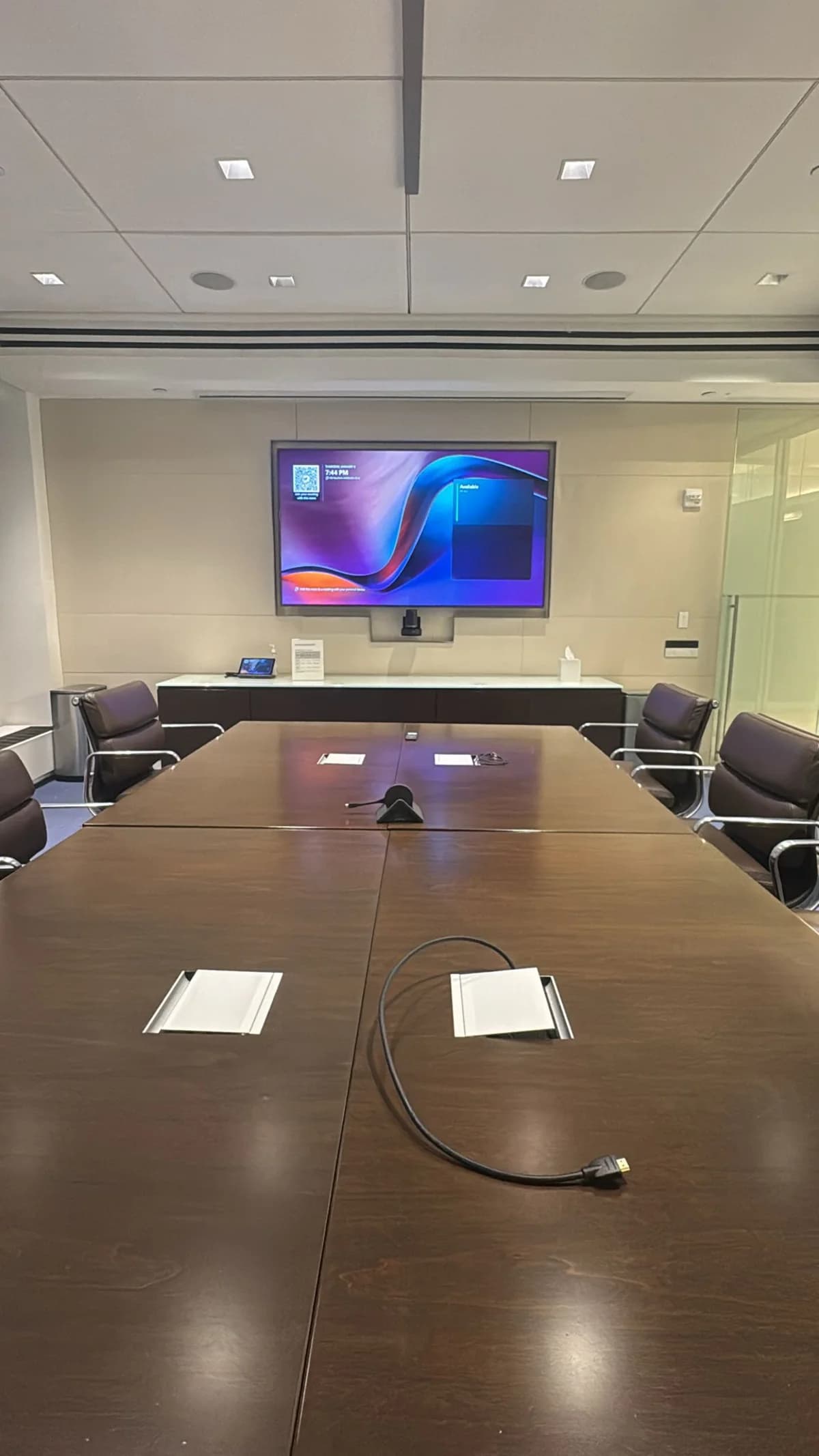
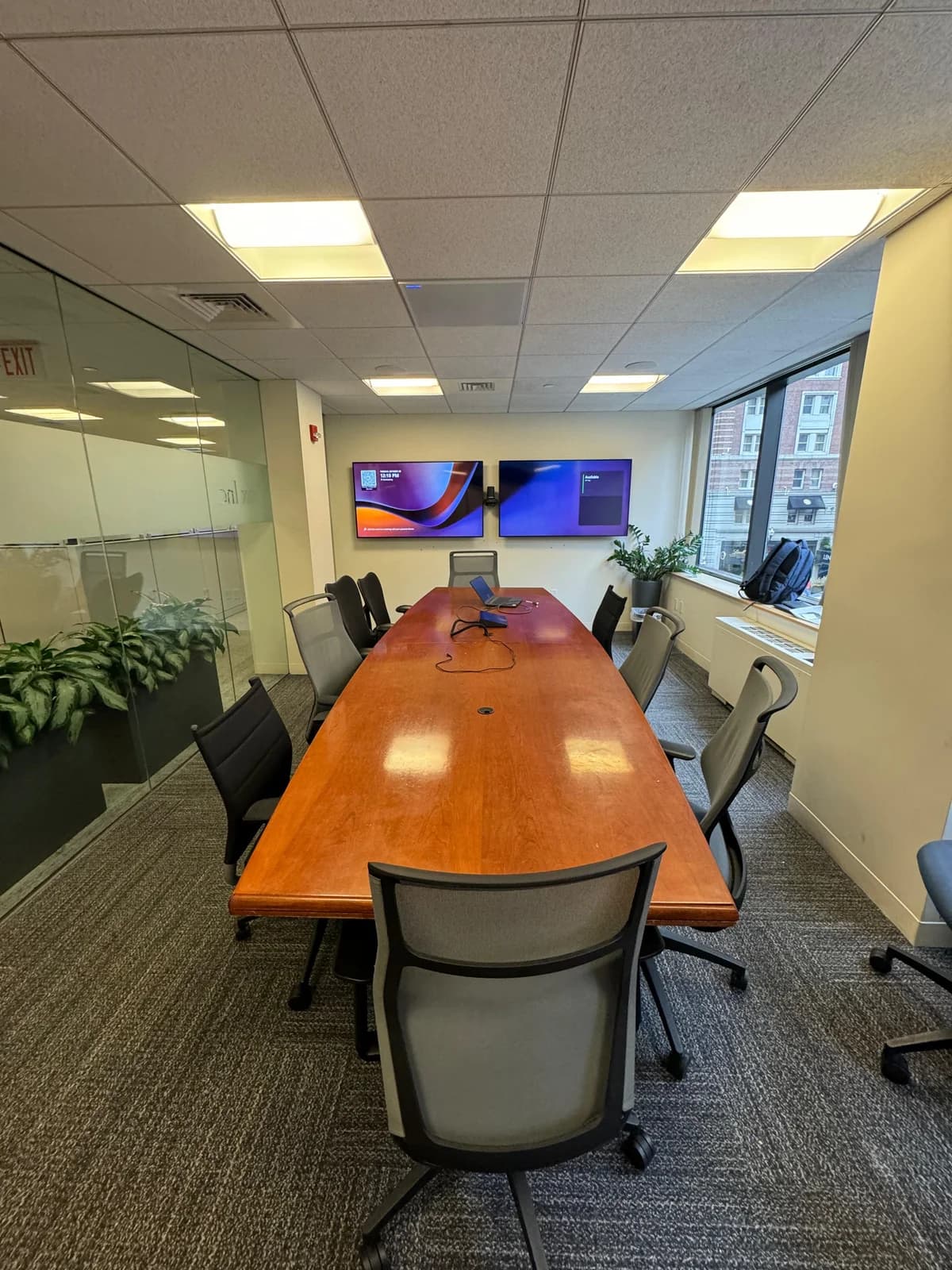
Boardroom (10+ People) — Starting from $10,000
Larger rooms need component systems — separate cameras, ceiling microphones, and more powerful speakers.
What goes in the room:
- 75-inch to 85-inch display (or dual 65-inch displays for content + video gallery)
- PTZ camera (pan-tilt-zoom, meaning it can adjust its angle to follow speakers) or dual-camera system
- Ceiling microphone array — picks up every voice without table clutter
- Separate speakers mounted near the display for clear remote audio
- Touch controller for one-tap meeting join
- Wireless presentation system
- Acoustic treatment if the room has hard surfaces or glass walls
- Full cable management — in-wall, under-floor, or above drop ceiling
What it's good for: Client-facing rooms, executive meeting spaces, all-hands rooms. Technology is invisible — people walk in and the room just works.
See our Boardroom AV service for full details, or request a quote.
Town Hall (25+ People) — Starting from $10,000
Large presentation spaces with multiple display zones, distributed audio, and professional-grade control systems.
What goes in the room:
- Multiple large displays or LED video wall
- Multiple PTZ cameras for different angles
- Distributed ceiling microphone array covering the full seating area
- Professional speaker system with zone control
- High-end AV control system for managing all devices from one panel
- Advanced audio DSP (digital signal processing — software that cancels echo and reduces noise) for echo cancellation and noise reduction
- Multiple network drops and a dedicated network segment for AV traffic
What it's good for: Company all-hands, investor presentations, client showcases. Rooms where 25 to 100+ people need to see, hear, and be heard by remote participants.
Town halls are fully custom. Request a consultation and we'll design the system around your space, seating layout, and presentation requirements.
What Drives the Cost Up or Down
Not every room in the same tier costs the same. Here's what moves the price within each range.
Wall Type (NYC-Specific)
NYC office walls are rarely simple drywall on wood studs. The wall you're mounting a display on affects hardware, tools, and time.
| Wall Type | Impact on Cost | Common In |
|---|---|---|
| Drywall on metal studs | Standard for NYC | New construction (Hudson Yards, WTC, Downtown Brooklyn) |
| Plaster over brick | Masonry anchors are part of your project quote | Pre-war Midtown, SoHo, Flatiron, Chelsea |
| Concrete | Masonry anchors are part of your project quote | Post-war high-rises, FiDi, Midtown East |
| Glass walls | A floor stand or swing-arm solution is part of your project quote | Modern interiors |
Cable Concealment
How cables are handled is often the biggest price difference between two installs in the same room.
- In-wall routing (drywall): Cables inside the wall, zero visible.
- In-wall through concrete or brick: Channels cut in masonry or surface conduit painted to match. This takes more time than drywall.
- Under-floor or above-ceiling routing: Common in buildings with drop ceilings or raised floors.
Each routing option is priced in your project quote after our site visit.
NYC Building Access Costs
Installing AV in a NYC office adds logistics that don't exist in suburban markets.
Certificate of Insurance (COI): Many buildings ask your installer for a certificate of insurance before work begins. We carry $2M general liability and a separate $5M umbrella policy and send COIs directly to your building — you don't need to coordinate this.
Freight elevator reservation: Equipment can't go through the lobby. Freight elevator windows are often 7–9 AM or 4–6 PM, which constrains scheduling.
Building engineer sign-off: Some buildings require their own engineer to inspect the wall or approve the mounting location before drilling. This can add a day or two.
Cost impact: These logistics are scoped in your quote before any work begins.
Ongoing Support — If You Don't Have IT Staff
Hardware is a one-time purchase. Keeping the system running is where ongoing support matters.
If your company doesn't have dedicated IT personnel, we offer ongoing support services:
- Remote monitoring and troubleshooting — we can diagnose issues without a site visit
- Firmware updates for video bars, cameras, and room controllers
- Priority on-site support when something needs physical attention
- Scheduled maintenance — audio calibration, cable inspection, software updates
- Ongoing configuration — adding new rooms, updating calendar integrations, onboarding new platforms
A single failed meeting with a client because the system crashed costs more than a year of support. If you don't have IT staff handling this, we do.
Request a consultation to discuss ongoing support for your conference rooms.
Talk to Us Before Buying Equipment
This is important: talk to us before you purchase any equipment. Conference room AV systems need to be compatible — the video bar, the display, the scheduling panel, the network, and the platform (Zoom, Teams, or Meet) all need to work together.
If you buy equipment before consulting with us, there's a real chance it won't be compatible with your platform or your room's acoustics. We help you select the right equipment for your specific rooms, your platform, and your budget — so nothing gets returned and nothing gets wasted.
How to Get the Best Value
Start with your most-used room. Get the mid-tier setup in the room where meetings happen most. Use it for a month, then decide what the other rooms need.
Invest in cable concealment. A premium video bar with cables hanging down the wall looks worse than an entry-level setup with clean cable management. In-wall routing is the single highest-ROI upgrade.
Plan for the long term. A well-installed system lasts 5–7 years before needing a major upgrade. The cabling, mounts, and infrastructure last even longer. Upgrading later just means swapping the video bar — not redoing the entire room.
FAQ
How much does conference room AV installation cost in NYC?
Huddle rooms (4–6 people) start from $5,000. Standard conference rooms (6–10 people) start from $5,000. Boardrooms (10+ people) start from $10,000. Town halls (25+ people) start from $10,000. All prices include equipment, labor, and installation. These are starting points — your final quoted price depends on room size, wall type, and building requirements.
What's included in the price?
Everything — equipment, labor, installation, cable management, platform configuration, and testing. You'll receive a clear, itemized quote after a site visit, before any work begins.
Should I buy the equipment myself?
We strongly recommend talking to us first. Conference room AV equipment needs to be compatible with your video platform (Zoom, Teams, Meet), your room size, and your network setup. We'll help you select the right equipment so nothing is wasted or incompatible.
How long does installation take?
A huddle room takes 2–3 hours. A standard conference room takes 3–5 hours. A boardroom takes 5–8 hours. In NYC, add 30–60 minutes for building logistics. Multi-room projects are more efficient per room.
Do you handle building coordination?
Yes. We're fully insured with general liability and umbrella coverage. We send COIs directly to building management, coordinate freight elevator reservations, and handle any building engineer requirements. You don't need to manage any of the building logistics.
What if we don't have IT staff?
We offer ongoing support services — remote monitoring, firmware updates, maintenance visits, and platform configuration. If your team doesn't have someone handling AV system upkeep, our team handles it for you.
Need a price quote for your specific rooms? We install conference room AV systems across NYC — Financial District, Midtown, Brooklyn, and beyond. Request a consultation and tell us how many rooms, what sizes, and what platform your team uses. Our team will put together a detailed proposal with equipment recommendations and a clear all-in price.