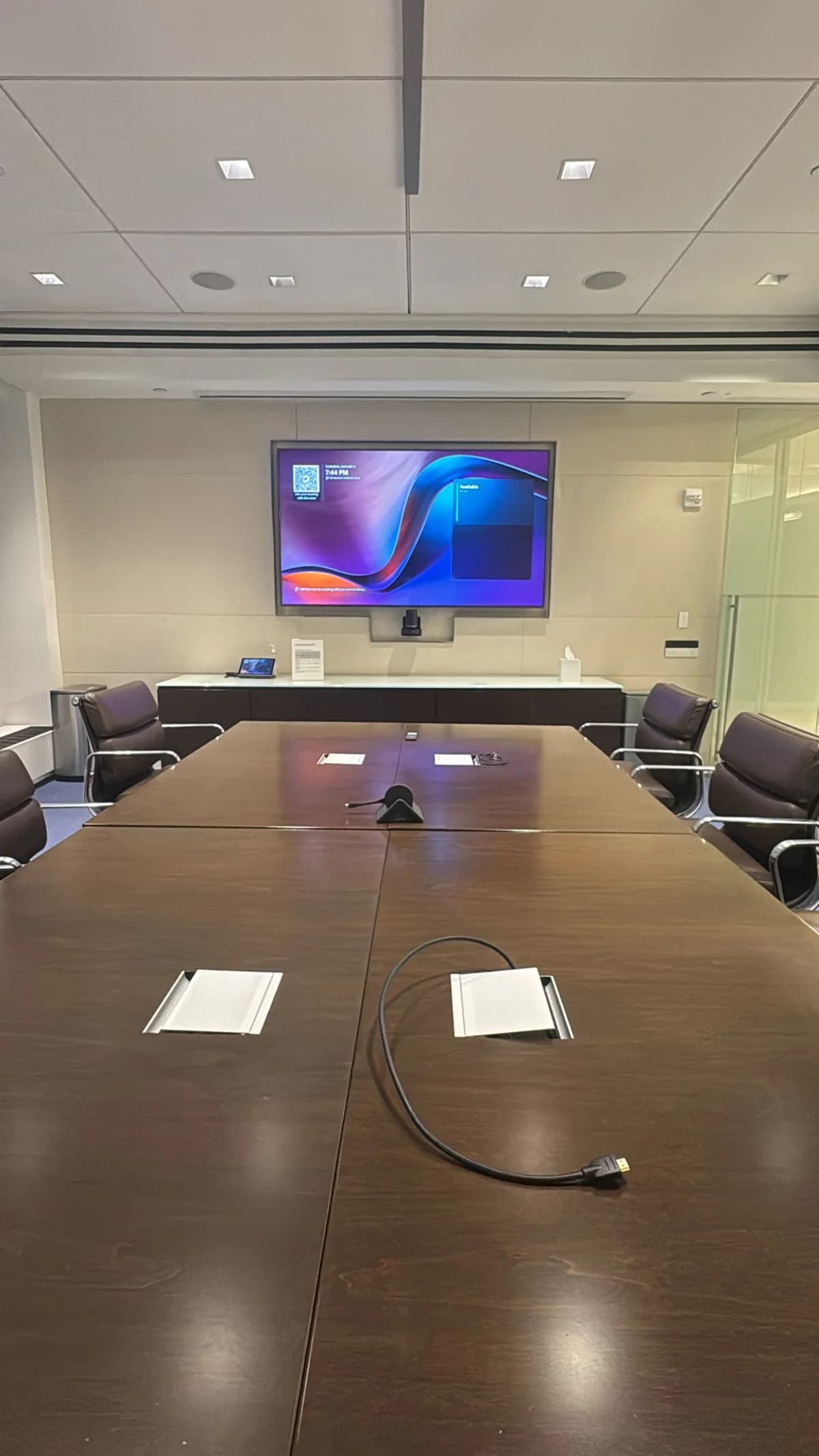
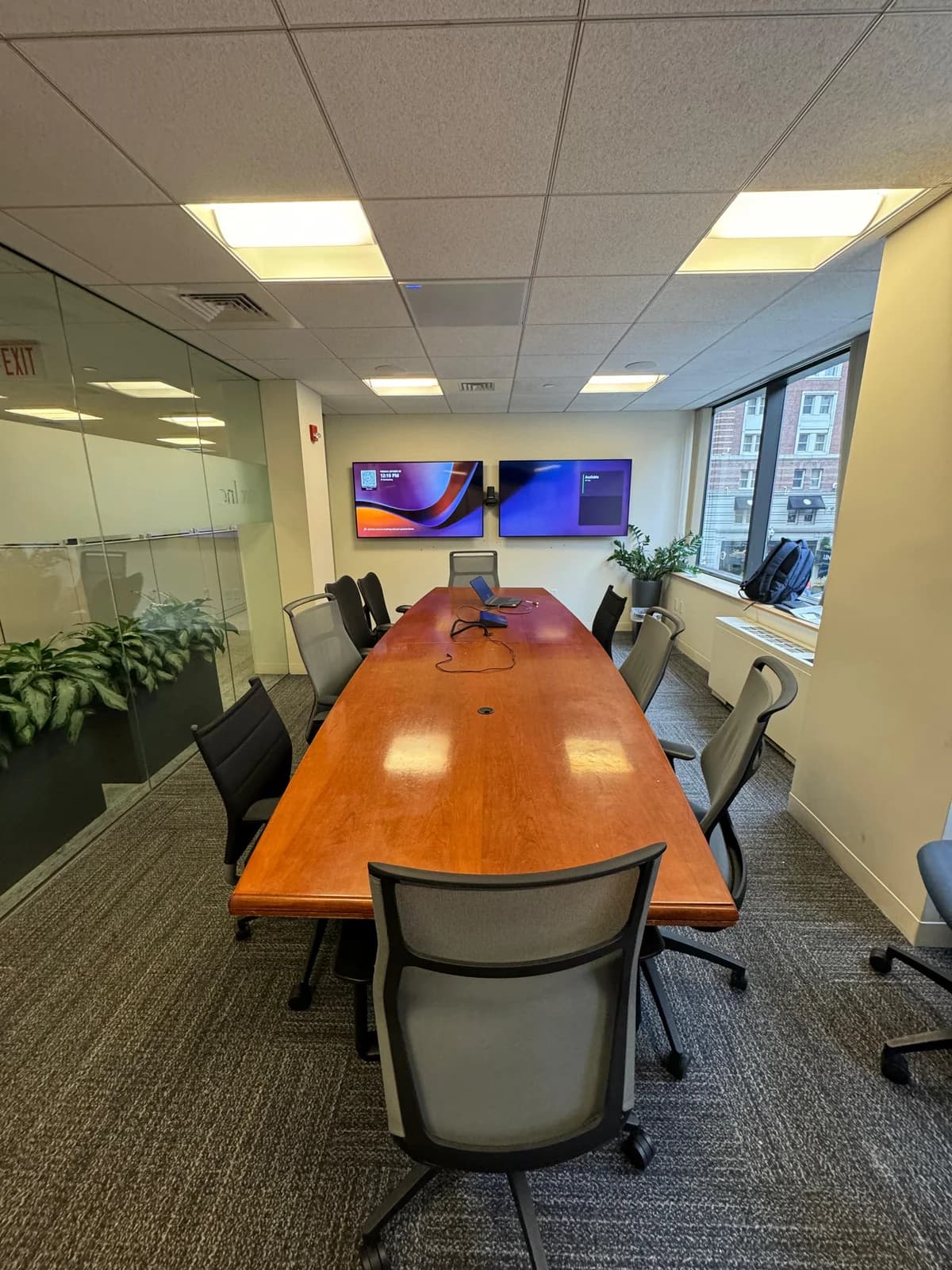
A great conference room for video calls comes down to six things done in the right order: network, display, camera, audio, IT setup, and a real test call. Get these right and the room works every time someone walks in.
Who's this for? Office managers and IT teams setting up a conference room for video calls in a NYC office — from a 4-person huddle room to a 30-seat boardroom.
This is the same step-by-step process we follow on every install.
The short answer
- Network first — wired ethernet, not Wi-Fi.
- Display sizing matters — the farthest seat should be no more than 8x the screen height away.
- Camera at display height — never on the table.
- Audio is the most important part — bad audio kills a call. Bad video is just annoying.
- Test with a real call before the room goes live.
- We handle all of this for NYC offices — book a consultation and we'll get your rooms running right.
The equipment matters. But the setup — where things go and how they connect — matters more. A $5,000 system in a poorly set up room will underperform a $2,000 system with proper placement, cabling, and acoustics.
We install conference room AV systems across NYC offices every week. This is the step-by-step process we follow for every room, from 4-person huddle rooms to 30-seat boardrooms.
Step 1: Network First
Before anything else, make sure the room has reliable, wired network connectivity. Video conferencing hardware needs dedicated ethernet — not Wi-Fi.
What to run
Run a wired ethernet cable (Cat6A — the current commercial standard) from the room to your network switch. Cat6A supports speeds fast enough for 4K and is future-proof. Cat5e works today but will need replacing within a few years.
Why wired, not Wi-Fi
Wi-Fi in dense NYC office buildings is unreliable. Dozens of neighboring offices create interference that causes audio dropouts and frozen video. A hardwired connection eliminates this entirely.
Network setup
- Minimum bandwidth: 5 Mbps up and down per room for 1080p video with screen sharing. Double that for 4K.
- Dedicated network segment: If your IT team supports it, put conference room devices on their own network segment so other office traffic doesn't affect call quality.
- Power over Ethernet (PoE): Some devices can be powered through the ethernet cable itself — one cable for data and power. Your network switch needs to support PoE+ (802.3at) for this to work.
Step 2: Display Sizing and Placement
The display is the visual anchor of the room. Get the size and height right and everything else falls into place.
Size by room
| Room Type | Recommended Size | Why |
|---|
| Huddle (4–6 people) | 55 inches | Farthest seat is 4–8 feet away |
| Conference (6–10 people) | 65–75 inches | Farthest seat is 10–15 feet away |
| Boardroom (10–20 people) | 75–85 inches, or dual 65-inch | Farthest seat may be 20+ feet away |
| Town hall (25+ people) | Dual 75-inch or LED video wall | Need visibility from 30+ feet |
The rule: The farthest seat should be no more than 8x the screen height away. For a 65-inch TV (32 inches tall), the max comfortable distance is about 21 feet.
Single vs. dual displays
Dual displays let you show remote participants on one screen and shared content (presentations, documents) on the other. This is a genuine productivity improvement for rooms with 8+ people — you can see faces and the presentation simultaneously.
Mounting height
The center of the screen should be at seated eye level — roughly 42–48 inches from the floor. Mounting too high forces neck craning and puts the camera at an unflattering upward angle.
TV vs. projector
For 95% of conference rooms, a TV wins. It's visible in lit rooms (projectors wash out in daylight), instant-on, zero maintenance, and cheaper. Projectors only make sense for rooms where you need 100+ inches and can dim the lighting.
Step 3: Camera Placement
The camera captures your side of the conversation. Position matters as much as the camera itself.
Placement rules
- Mount at display height — directly above or below the TV. This gives remote participants a natural eye-line view.
- Never put the camera on the table — it creates the unflattering "up the nose" angle.
- Center on the table's long axis — if the table runs left-right, center the camera on that line.
- For dual displays — mount the camera between the two screens.
- Keep 4+ feet between camera and nearest person — closer creates distorted perspective.
Camera type by room size
| Room Size | Camera Type | Why |
|---|
| 4–6 people | All-in-one video bar | 120° wide angle captures the whole room. Built-in mic and speaker. |
| 6–10 people | Premium video bar | Wider mic pickup, better zoom, stronger speakers. |
| 10–20 people | PTZ (pan-tilt-zoom) camera | Optical zoom maintains quality across a 20-foot room. |
| 20+ people | Multiple PTZ cameras with AV control system | Different camera angles for presenter, audience, and whiteboard. |
For specific equipment recommendations, see our recommendations page or the find-your-setup tool.
AI auto-framing
Every modern video bar (2024 and newer) includes AI auto-framing — the camera automatically adjusts to keep all participants in frame or tracks the active speaker. This feature alone justifies upgrading from an older camera. It eliminates the need to manually adjust the camera before every call.
Step 4: Audio — The Most Important Part
Remote participants judge your room almost entirely by audio quality. Bad video is tolerable. Bad audio makes the call unusable. This is where we spend the most time during installations.
The golden rule
If you only upgrade one thing, upgrade the audio. A better speakerphone improves call quality more than a camera upgrade of the same cost.
Audio by room size
Huddle room (4–6 people): The built-in microphone and speaker on an all-in-one video bar is sufficient. Everyone sits within 8 feet of the device.
Conference room (6–10 people): A premium video bar handles this range. If audio quality is critical (client calls, depositions, interviews), add a dedicated table speakerphone as a supplement.
Boardroom (10–20 people): Table speakerphones can't pick up voices from the far end of a 20-foot table. Ceiling microphones solve this — they cover the entire room without table clutter. Add separate wall or ceiling speakers for remote audio.
Town hall (25+ people): Distributed ceiling microphone array (4–8 zones depending on room size), professional speaker system with zone control, and audio DSP (digital signal processing — software that cancels echo and reduces noise).
Microphone placement rules
- Table speakerphones: Centered on the table, equidistant from all seats. One unit per 8–10 feet of table length.
- Ceiling mics: Directly above the seating area — never above the display wall or doorway.
- Keep microphones 6+ feet from speakers to prevent feedback (that screeching sound).
Acoustics — Fix the room, not just the equipment
Hard surfaces create echo that no microphone can fix. If you clap in the room and hear a noticeable ring, the room needs treatment before installing AV equipment.
- Glass walls: The biggest echo problem in modern NYC offices. Acoustic panels on any non-glass wall help. A ceiling-mounted acoustic cloud (suspended panel) is even more effective.
- Concrete or hard floors: A thick rug under the table absorbs reflections.
- Bare walls: Even one acoustic panel behind the display dramatically improves audio.
Don't want to deal with all of this? We set up conference rooms for NYC offices every week — from 4-person huddle rooms to 30-seat boardrooms. Book a consultation and we'll handle everything.
Step 5: IT and Calendar Setup
Hardware is half the equation. The software side determines whether people actually use the room.
Room resources
Set up the conference room as a "room resource" in your calendar system:
- Google Workspace: Google Admin Console → Buildings and Resources → Add a resource
- Microsoft 365: Exchange Admin Center → Resources → Rooms → Add a room
This lets people book the room directly from their calendar. The scheduling panel (if you have one) reads from this same resource to show availability.
If the room has a dedicated system (Zoom Room, Teams Room, or Google Meet device):
- Create a room account (separate from any person's account)
- Sign into the device with the room account
- Link the room account to the calendar resource
- Configure auto-join settings so the room connects to the scheduled meeting automatically
IT checklist
Step 6: Testing — Don't Skip This
Before the room goes live, run a real test with remote participants. Walk around the room while talking and have them flag:
- Dead spots where the microphone doesn't pick up clearly
- Echo from hard surfaces or speakers too close to microphones
- Camera framing — is everyone visible? Does auto-framing work?
- Audio levels — can remote participants hear everyone at the table? Can the table hear remote participants from the farthest seat?
- Screen sharing — does it work from both wired and wireless connections?
- Lighting — are faces visible or are people silhouettes against a window?
Fix lighting first. If there's a window behind the display, participants facing the camera will be backlit. Either move the display to a different wall, install blackout blinds, or add a fill light behind the display. No camera upgrade fixes backlighting.
NYC-Specific Setup Considerations
Building access
Most NYC buildings require:
- Certificate of Insurance (COI) from the installer before any work
- 24–48 hours advance notice for drilling
- Freight elevator for all equipment — no passenger elevators
- Work completed during approved hours (often 8 AM–5 PM)
We handle all building coordination when we install — COIs, freight elevator reservations, and any building engineer requirements.
Wall types
| Wall Type | What to Expect |
|---|
| Metal stud drywall (most common in NYC) | Standard installation. |
| Plaster over brick (pre-war Midtown, SoHo) | Masonry anchors, hammer drill. Louder, dustier, takes longer. |
| Concrete (FiDi, Midtown East high-rises) | Concrete anchors required. |
| Glass walls (modern interiors) | Can't mount directly. Floor stand or swing-arm from adjacent wall. |
Small NYC rooms
Manhattan conference rooms are significantly smaller than the national average. We regularly work in 10x12 or even 8x10 rooms. In rooms this tight:
- 55-inch is the max display — 65-inch at arm's length is uncomfortable
- The video bar mounts directly to the display bracket (no separate wall space)
- Cables must go in-wall or in slim-profile raceways — bulky covers don't fit
- Acoustics matter more because reflections amplify in smaller volumes
FAQ
What's the most important piece of conference room AV equipment?
The microphone. Remote participants can tolerate mediocre video, but bad audio (echo, dropouts, muffled voices) makes calls unusable. Invest in audio quality before upgrading the camera or display.
How long does conference room AV setup take?
A huddle room takes 2–3 hours. A standard conference room takes 3–5 hours. A boardroom takes 5–8 hours. In NYC, add 30–60 minutes for building access logistics. IT and calendar setup is typically 30–60 minutes per room on top of the physical installation.
Can I use a regular TV as a conference room display?
Yes. For rooms used under 8 hours daily, a consumer TV works perfectly and costs 40–60% less than commercial displays. Mount it with a commercial-grade bracket and you're set.
Should I use wired HDMI or wireless presentation?
Both. Wireless systems eliminate cable fumbling. But always keep a wired HDMI cable at the table as backup — wireless systems occasionally glitch, and you never want a client presentation stalled by a connectivity issue.
Do I need acoustic treatment?
If you clap in the room and hear echo, yes. Glass-walled conference rooms — extremely common in NYC — almost always need acoustic panels. Even one panel behind the display makes a measurable difference in audio quality for remote participants.
Need help setting up your conference rooms? Our corporate AV services cover the full process: network cabling, display mounting, camera and audio setup, IT configuration, and testing. Book a consultation and tell us about your space. We'll recommend the right equipment and handle everything from building coordination to the final test call.