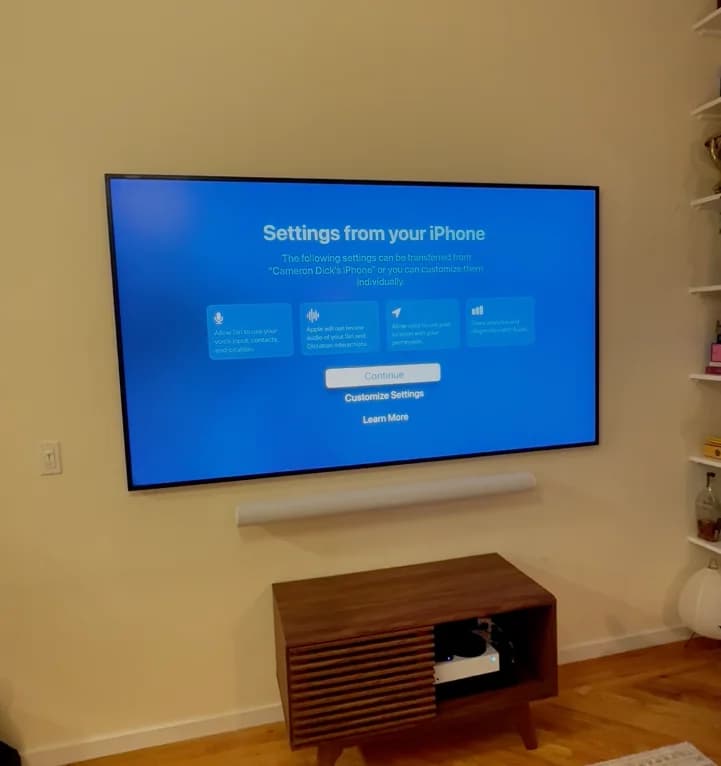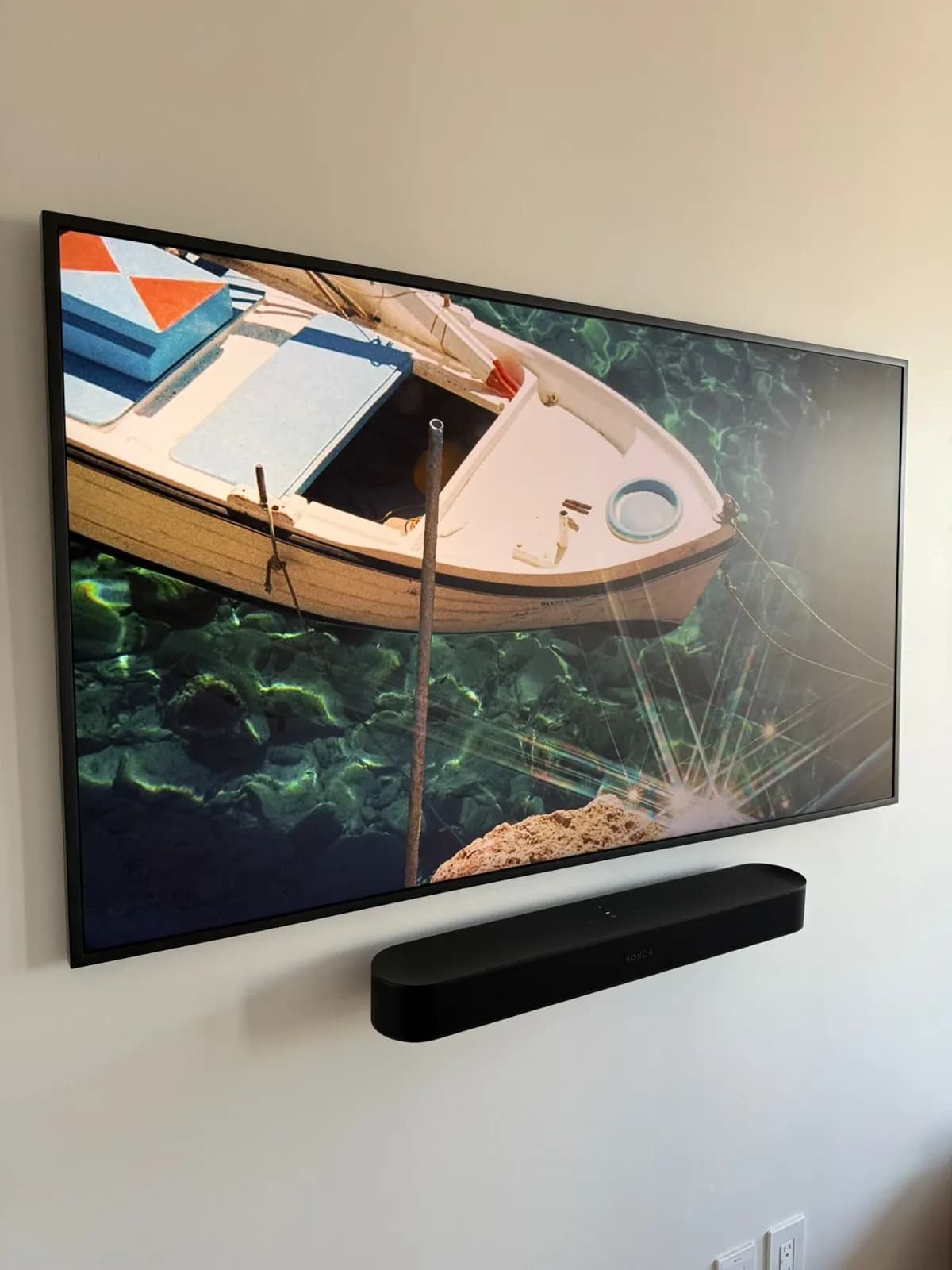
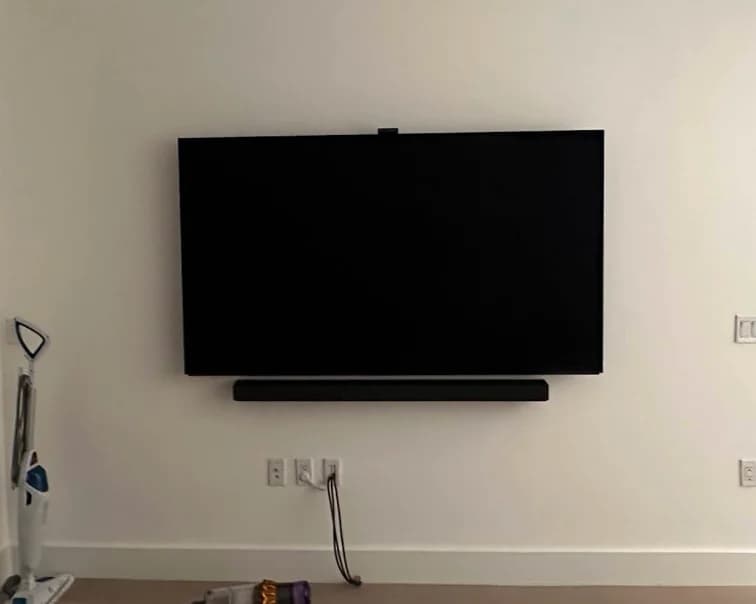
Yes, if your TV is already on the wall. A TV floating above a soundbar on a shelf looks fine. A TV and soundbar both on the wall looks finished — one clean, unified unit.
Who's this for: Anyone who just got their TV mounted and is wondering what to do with the soundbar.
This covers why it's worth doing, where to position it, what hardware works in NYC walls, and when wall mounting doesn't make sense.
The short answer
- Wall-mounted TV → wall-mounted soundbar. It closes the visual gap between TV and furniture.
- Position it 4–6 inches below the TV, centered.
- Most soundbars come with a wall mount kit — but the included screws often won't work in NYC metal-stud, plaster, or concrete walls. We bring the right hardware.
- It adds about 20–30 minutes to a TV install. Book your appointment here and mention your soundbar when you book.
Why wall mount the soundbar?
It looks intentional. A floating TV with a soundbar sitting on furniture creates a visual split — the TV belongs to the wall, the soundbar belongs to the furniture. Mounting both together makes one unified wall unit.
It frees up surface space. A soundbar on a shelf or media console eats up your prime real estate. On the wall, that surface is clear.
Cable management gets easier. When both are on the wall, the cable path is short and direct — the optical or HDMI ARC cable runs straight from the soundbar up to the TV, hidden behind the wall or along a short raceway.
It stays put. A soundbar on a shelf can be bumped or knocked off. Wall-mounted, it's fixed.
Position: where does the soundbar go?
Below the TV (the standard)
The soundbar mounts about 4–6 inches below the bottom of the TV — close enough to read as one unit, far enough that the TV's remote sensor has a clear line-of-sight to the room.
Most soundbar manufacturers publish the correct mounting height in their manual. As a general rule: center the soundbar at about 24–30 inches from the floor when the TV center is at 48 inches or higher. When the TV is lower, scale the soundbar position proportionally.
Above the TV
Some soundbars have upward-firing drivers that reflect off the ceiling for simulated surround. If your soundbar manual specifies above-TV placement, follow it. Otherwise, below is correct.
On the same mount as the TV
Some TV mounts include integrated soundbar brackets. They work — but when you tilt or swivel the TV, the soundbar moves with it. That often puts the soundbar in an awkward position. We prefer independent wall mounts for each, so both are in exactly the right spot.
The hardware
Most soundbars include a wall mount kit in the box — usually two metal brackets that screw into the back of the soundbar, which then hang on two screws in the wall.
The problem: The wall screws that come in the box are often only 1 inch long, designed for wood studs. In NYC apartments with metal studs or concrete walls, they won't hold. We always bring our own hardware.
What actually works:
- Wood studs: 2.5-inch wood screws directly into the stud.
- Metal studs: toggle bolts sized for the soundbar's weight (most soundbars are 5–20 lbs — a small toggle handles this easily).
- Concrete: masonry screws, properly anchored.
Soundbars are light. One properly installed fastener per side is enough. The standard two-per-side keyhole mount is more than adequate when the hardware matches the wall.
Soundbars specifically worth noting
Sonos Arc, Beam, and Ray
Sonos soundbars all include wall mount kits. One thing to know: Sonos soundbars have bottom-firing bass ports, so they don't sit flush against the wall. There's an intentional gap of about 1–1.5 inches. That's by design — not an installation error.
Samsung HW Series
Samsung soundbars use a slim bracket system that allows very close wall clearance. The bracket attaches to the wall first, and the soundbar clips onto it. Clean and secure.
Bose Soundbar 900 / 700
These mount with a proprietary bracket that Bose sells separately. The result is almost flush to the wall. If you have the wall mount bracket, these are straightforward installs.
Sonos Playbase / Playbar
These older Sonos products aren't designed for wall mounting — they sit on furniture. Don't try to wall mount a Playbase.
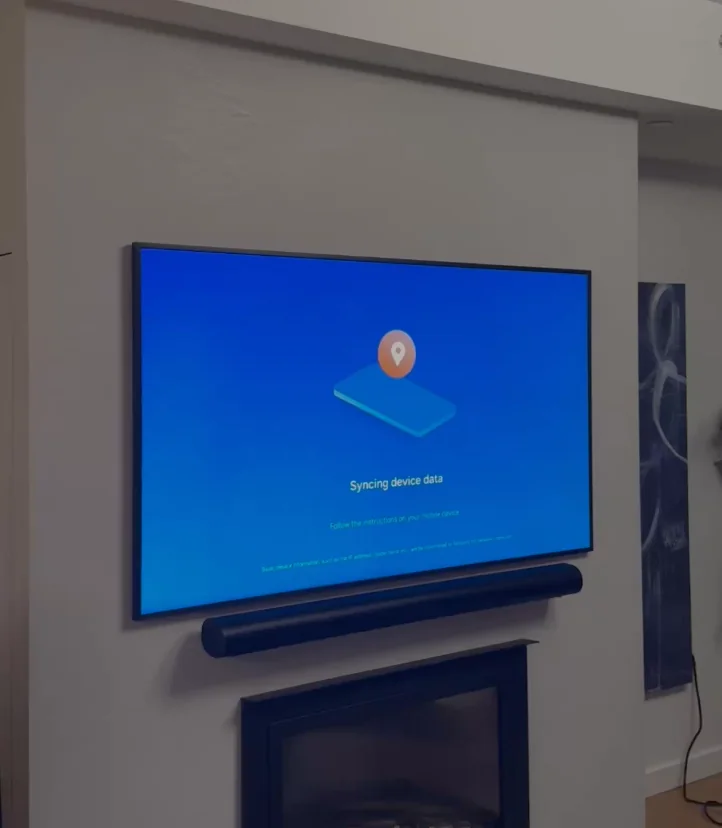
Soundbar cable management
The connection from soundbar to TV is one of three things:
HDMI ARC/eARC: One HDMI cable carries both audio and control signals between the TV's ARC port and the soundbar. One cable for everything.
Optical (Toslink): A thin optical cable carries digital audio. It's more delicate than HDMI, and requires a right-angle optical cable to route cleanly when the soundbar is close to the wall.
Bluetooth: Some soundbars connect wirelessly. Zero cables between TV and soundbar.
For wall-mounted soundbars, the ideal is HDMI ARC run through a short cable path inside the wall or behind a raceway. We cut cables to exact length on soundbar installs so there's no excess coiled behind the unit.
Power cable: The soundbar power cable is often the hardest to hide because the socket is sometimes at an inconvenient location on the soundbar body. A right-angle plug adapter routes it cleanly upward into a raceway or the wall.
Soundbar mounting alongside a TV install — our standard approach
When we mount a TV, we route all cables before hanging the TV. For soundbar installs, we add the soundbar to the same workflow:
- Mount the TV bracket into the wall (studs or masonry).
- Install the soundbar brackets at the correct position below the TV.
- Hang the TV.
- Hang the soundbar.
- Run the HDMI ARC or optical cable between the two — inside the wall via the same cable cavity as the TV, or in a short raceway.
- Connect and test audio output.
Total added time for a soundbar add-on to a TV install: 20–30 minutes.
What it costs
Our TV mounting service covers the TV mount itself. Soundbar mounting is an add-on we handle in the same appointment. We include soundbar mounting in our standard pricing — there's no separate line item for most soundbar installations.
If you're booking a TV mount and have a soundbar, mention it when you book so we bring the right hardware. Book your appointment here.
When wall mounting doesn't work
Very large soundbar in a small room. A 5-foot soundbar in a 10-foot wide room leaves only 2.5 feet of wall on each side. Centering the TV above it gets visually tight. In this case, keeping the soundbar on the console may actually look better.
Wireless rear speakers. If your system has wireless rear speakers on floor stands, the soundbar still wall-mounts fine — the rear units just stay on their stands.
Renters who want zero wall marks. A soundbar on a furniture surface is a completely valid choice. Wall mounting is cleaner but not mandatory. If leaving zero trace is the priority, keep it on the console.
Frequently Asked Questions
Does the soundbar have to be centered under the TV?
Yes, for the cleanest look and proper stereo imaging. A soundbar offset to one side creates an audible imbalance and looks off. Center it directly below the TV center.
How far below the TV should the soundbar be?
4–6 inches of clearance between the bottom of the TV and the top of the soundbar is the practical standard. This ensures the TV remote sensor has line-of-sight to the room, and the soundbar's indicator lights are visible without being blocked by the TV.
My soundbar didn't come with a wall mount kit. Can I still mount it?
Yes. Universal soundbar wall mount brackets are available and work with most soundbars that have a standard bottom mounting pattern. Bring us the make and model when you book and we'll confirm the right hardware.
Will wall mounting affect the sound quality?
Not negatively — and in some cases it improves it. A soundbar that sits on a resonant shelf can pick up vibrations from the furniture surface. Wall-mounted, it's isolated. The main consideration is making sure it isn't mounted flat against a wall that creates a reflection — the standoff spacing built into most brackets handles this automatically.