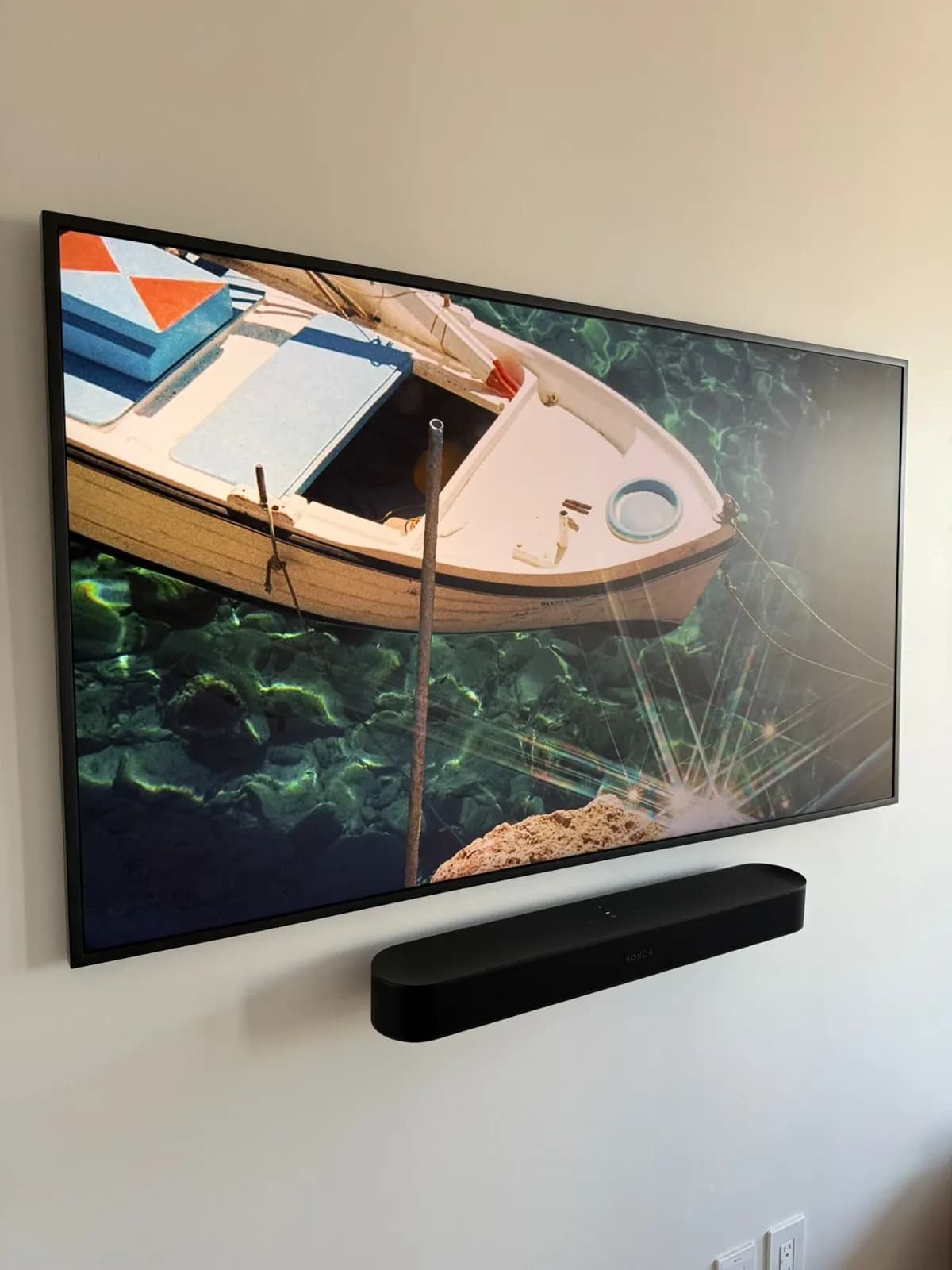
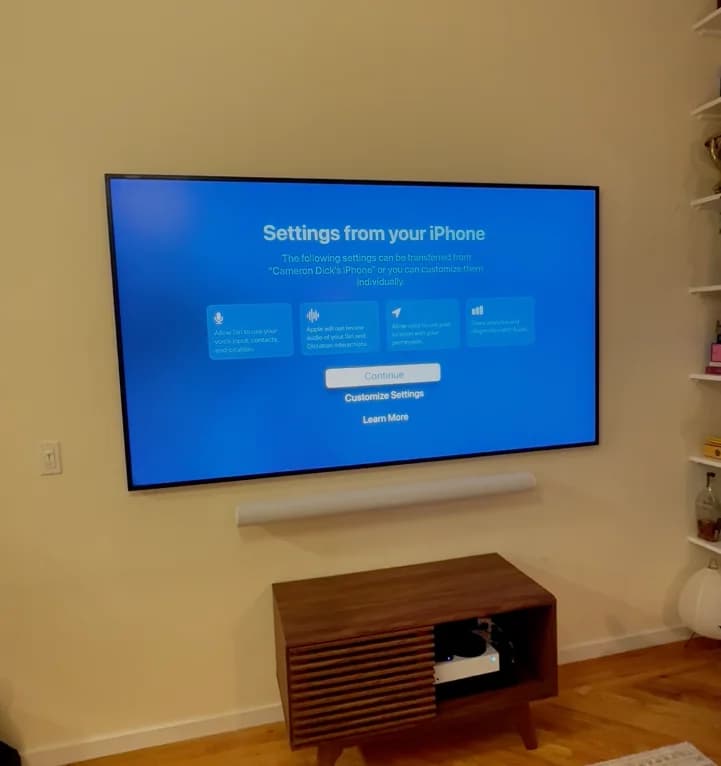
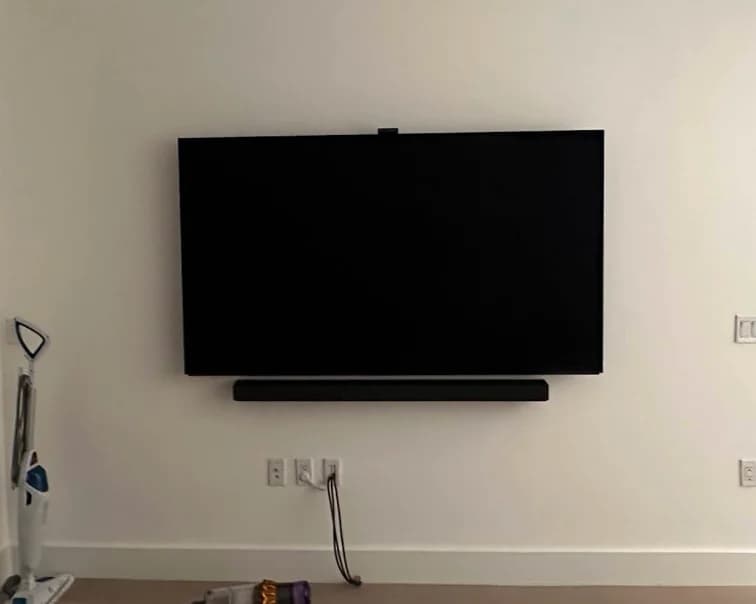
Wall-mounted TV? Mount the soundbar too. It looks finished — one unified wall unit instead of a TV floating above furniture with a soundbar sitting on a shelf below.
Who's this for: Anyone with a wall-mounted TV wondering what to do with their soundbar. If your TV is still on a stand, the soundbar lives on the stand — no mounting needed yet.
This guide covers where the soundbar goes, what bracket to use, how to hide the cables, and a few brand-specific tips.
The short answer
- Mount it 4–6 inches below the TV, centered.
- Many soundbars include a basic wall-mount kit, but the screws often won't hold in NYC walls — so you may need a separate bracket.
- Cable hiding: in-wall on drywall, or a paintable raceway on plaster/brick/concrete.
- Professional soundbar mounting is $69 — add it to any TV mounting package.
Where should your soundbar go?
Below the TV (almost always the right call)
The soundbar mounts centered on the wall, 4–6 inches below the bottom of the TV screen. Close enough to look like one unit. Far enough that the TV remote can still "see" the room.
On the same stand as the TV
If your TV is still on a stand, the soundbar lives on the same surface. No drilling, no holes. Less polished, but perfectly fine.
On a shelf below the TV
A floating shelf below the TV works if your soundbar doesn't have wall-mount holes, or if you need extra space for a streaming device. But for most setups, mounting the soundbar directly to the wall is cleaner.
Bottom line: Wall-mounted TV → wall-mounted soundbar. TV on a stand → soundbar on the same surface.
How soundbar wall mounting works
Here's what the process looks like — whether you do it yourself or have us handle it for $69.
- Find your studs. Soundbars are light (5–15 lbs), so drywall anchors can work — but at least one screw into a stud is better.
- Measure placement. The soundbar should sit 4–6 inches below the TV screen, centered horizontally.
- Mount the bracket. A soundbar bracket goes on the wall first. Then the soundbar hooks or clicks onto it.
- Connect cables. An HDMI ARC or optical cable runs from the soundbar to the TV. If you're getting cable concealment, soundbar cables get hidden alongside the TV cables.
The tricky parts are getting the bracket perfectly level, centering it under the TV, and managing cables cleanly. That's why most people add soundbar mounting when they book their TV install.
Soundbar mounting brackets
Many soundbars include a basic wall-mount kit, but the included screws often won't hold in NYC walls. You may need a separate bracket — two options:
Universal soundbar mounts
Universal mounts work with most brands and models. Adjustable arms or a bar that the soundbar rests on or attaches to. Look for one rated to at least twice your soundbar's weight.
The main risk: if your soundbar doesn't have dedicated mounting holes on the bottom or back, a universal bracket may not grip it properly. Check your soundbar's manual before buying.
Not sure which mount to get? Our recommendation wizard can point you to tested options.
Brand-specific mounts
Some brands sell purpose-built mounts designed for their specific models. These usually give the cleanest install. If your soundbar is a premium model, check whether the manufacturer makes an official mount before going generic.
You can also browse options on our recommendations page.
Brand-specific tips
Sonos
The Sonos Arc needs a specific mount — Sonos sells an official one. The Arc is heavy (13 lbs), curved, and doesn't have universal-compatible mounting holes. Don't use a generic bracket with the Arc.
The Sonos Beam (Gen 1 and Gen 2) is lighter. Sonos also makes a dedicated bracket for the Beam. With any Sonos soundbar, get at least one screw into a stud.
The Sonos Arc Ultra is heavier than the original Arc — stud mounting is even more important here.
Samsung
Most Samsung soundbars use standard-spaced mounting holes, so universal brackets work well. Samsung also sells optional mounting kits for most of their lines. Their taller models can be tricky to center under the TV if the TV is close to a media console — measure before you drill.
Bose
Bose sells dedicated wall mounts for most of their soundbar models. Third-party universal brackets can work, but confirm they don't block cable ports before mounting.
How to hide soundbar cables
You're dealing with two cables: the soundbar's power cord and the HDMI or optical cable to the TV.
In-wall routing is the cleanest option — but only works on drywall. If your TV's power and HDMI cables are already in-wall, soundbar cables go through the same cavity. This is part of what we do on a TV mounting + cable concealment install.
On plaster, brick, or concrete: in-wall routing isn't an option. A paintable cable raceway (a plastic channel that mounts to the wall surface) is the right call. Quick to install, paintable to match your wall, and removable without damage — good for renters.
Cable clips work for a short run when the soundbar is very close to the TV and the gap is minimal.
Mounting a soundbar above a fireplace
TV above a fireplace with the soundbar below? A few things to consider:
Heat: Most soundbars aren't rated for high-heat spots. If your fireplace runs often, check the temperature spec in your soundbar's manual.
Height: Fireplaces push TVs higher than ideal. The soundbar goes up with it — it may not be at ear height. An angled bracket can help point the sound toward the seating.
Depth: Make sure the soundbar doesn't hang over the mantel edge. You want it flush with or slightly behind the mantel face.
Common mounting mistakes
Too close to the TV. Less than 4 inches and the soundbar can block the TV's IR receiver — your remote stops working reliably.
Not using a level. Even a slight tilt is obvious. A level takes 30 seconds. Skip it and you'll see it every time.
Anchors only — no stud — for a heavy soundbar. Anything over 8–10 lbs should have at least one screw into a stud. Drywall anchors can hold, but they fail more often.
Wrong bracket for the model. Universal brackets don't always work with curved or proprietary soundbar bodies. Check model compatibility first — or browse our recommendations page for tested options.
Frequently Asked Questions
Can I mount a soundbar above my TV instead of below?
Technically yes, but not recommended. Sound from above creates a disconnect between audio and what's on screen. Below the TV is the standard.
Do all soundbars have wall mounting holes?
Most do, but not all. Check the back and bottom for threaded screw holes or keyhole slots. If there are none, you need a universal cradle-style bracket that grips the soundbar from below.
How far from the wall should a mounted soundbar sit?
The soundbar face should be flush with or slightly in front of the TV face. Don't recess it into a shelf or cabinet — it muffles the sound.
Is it better to mount a soundbar or put it on a shelf?
If the TV is wall-mounted, mounting the soundbar is almost always better — it looks cleaner and frees up your console surface. If the TV is on a stand, the console surface is fine.
Add soundbar mounting to your TV install
Most people mount their soundbar at the same time as the TV — it's the easiest way to get everything centered, leveled, and wired in one visit. Professional soundbar mounting is $69 — you can add it to any TV mounting package right in the booking flow.
If you're in NYC or NJ, book a TV mounting appointment and add soundbar mounting at checkout. Or check out our soundbar mounting service page for more details.