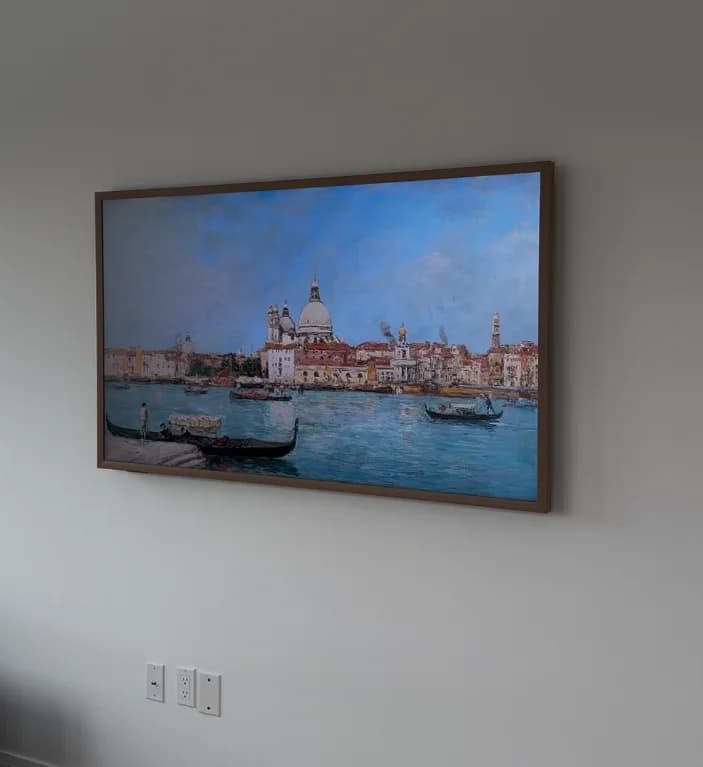
The Samsung Frame TV needs its own flush-wall mount and a plan for its separate One Connect box — a standard TV mount won't give you the art-frame look it's designed for.
Who's this for: anyone who just bought (or is about to buy) a Samsung Frame TV and wants to understand what the installation actually involves.
This guide covers the flush mount, where to hide the One Connect box, cable management, Art Mode setup, and the most common mistakes.
The short answer
- The mount: the Frame TV comes with its own flush mount in the box — use it, not a standard mount.
- The One Connect box: all your HDMI ports and power plug live in a separate box connected by one thin cable. You need to decide where it goes before the TV goes on the wall.
- Best hiding spot: fish the One Connect cable through the wall and put the box behind your furniture. That's our $299 service.
- Cleanest look: recessed in-wall enclosure with ventilation. That's our $799 service.
- Art Mode: needs a brightness sensor with a clear view of the room and a few settings to dial in.
- Book your Frame TV installation — we handle the mount, wiring, and Art Mode in one visit.
What makes Frame TV mounting different
The Samsung Frame TV is designed to hang flat against the wall like a picture frame. That design creates three installation challenges that don't exist with regular TVs.
Flush mount. A standard TV mount leaves a 2–4 inch gap between the TV and the wall. The Frame TV is designed to sit within about a quarter inch of the wall surface. It comes with its own flush mount built for this look — a regular mount won't get you there.
The One Connect box. Samsung moved all the HDMI ports, USB inputs, and power connection off the back of the TV into a separate box. One thin cable connects the box to the TV. That eliminates cable clutter at the TV — but you need to decide where the box goes before you mount anything.
Art Mode. The Frame TV displays artwork when you're not watching TV. Getting it to look right means setting up the ambient light sensor and a few settings correctly.
The flush wall mount
The Frame TV includes its own flush wall mount in the box — every size comes with it.
A few things to know:
- The Frame TV is also VESA-compatible — it has standard mounting holes if you want a tilt or full-motion mount. But you'll need to buy that separately and you'll lose the flush look.
- The included flush mount is fixed position only — no tilt, no swivel.
- It works on any wall type — drywall, plaster, brick, concrete. The right anchors depend on your wall, but the mount itself works everywhere.
- Leveling is critical. Artwork hanging crooked is immediately obvious. The flush mount has minimal adjustment, so the wall plate must go in perfectly level on the first try.
One Connect box — where to put it
The One Connect cable is about 5 meters (roughly 16 feet) long. That gives you flexibility — but you need to decide the placement before the TV goes up.
Pass the cable through the wall. The cable is thin enough to fish through a small hole. It comes out behind your media console, entertainment center, or inside a closet — and the box lives there, out of sight. This is what our $299 Samsung Frame TV One Connect service covers.
In-wall recessed enclosure. The One Connect box sits inside a recessed box built into the wall. Completely invisible. We generally recommend keeping it accessible rather than fully sealed in — the box generates heat and needs airflow. Our $799 Samsung Frame TV in-wall service includes this with proper ventilation planning.
Behind furniture. In smaller apartments, the box lives on a shelf or behind a console table, cable running down from the TV. Not the most elegant option, but completely functional.
Important: Don't put the One Connect box somewhere it can't breathe. It runs hot. A sealed drawer or tight enclosure causes overheating and shortens its life.
Wiring for the flush look
The Frame TV's whole selling point is a zero-clutter wall installation. Cables hanging below it defeat the purpose.
In-wall cable management. This is the cleanest option. Your installer runs a recessed outlet directly behind the TV — the Frame TV specifically needs a recessed outlet so the plug doesn't push the TV away from the wall — and fishes the One Connect cable through the wall. The result: completely invisible wiring, TV flush to the wall, nothing visible from any angle.
Surface cable channel (raceway). If in-wall isn't possible — common in buildings with brick or concrete walls — a flat paintable cable raceway covers the power cord along the wall surface. Far less visible than loose cables, though it doesn't achieve the fully flush look of in-wall wiring.
The One Connect cable is thin enough that it barely shows on its own. The power cord is the main thing to address.
Art Mode setup tips
Art Mode is what separates the Frame TV from every other TV on the market. When you're not watching, it displays artwork at a brightness calibrated to look like a real frame.
Getting it right takes more than just turning it on:
Ambient light sensor calibration. The Frame TV adjusts Art Mode brightness based on the room lighting. Position the TV where the sensor has a clear view of the room — don't block it with mounting hardware.
Frame covers. Magnetic frame covers snap onto the TV edge and give it a more authentic picture-frame look. They come in a range of finishes — check our equipment recommendations for curated picks.
Custom artwork. You can upload your own photos through the Samsung SmartThings app and display them in Art Mode. High-resolution landscape and portrait images work best.
Common Frame TV installation mistakes
These are the errors we see most often:
Using a standard mount. A regular mount will work but leaves a 2–4 inch gap between the TV and the wall. The whole art-frame concept is gone. Use the included flush mount unless you specifically want tilt or swivel.
Not planning for the One Connect box. People buy the TV, get it mounted, and then realize they have nowhere to put the box. Plan the placement before the TV goes on the wall.
Mounting off-center. The Frame TV looks best centered on the wall like actual artwork. Slightly off-center is far more noticeable than with a regular TV. Measure twice.
Skipping cable management. A Frame TV with cables hanging below it looks worse than a regular TV with cables — because the whole design intent is so obviously defeated. Plan the wiring before mounting, not after.
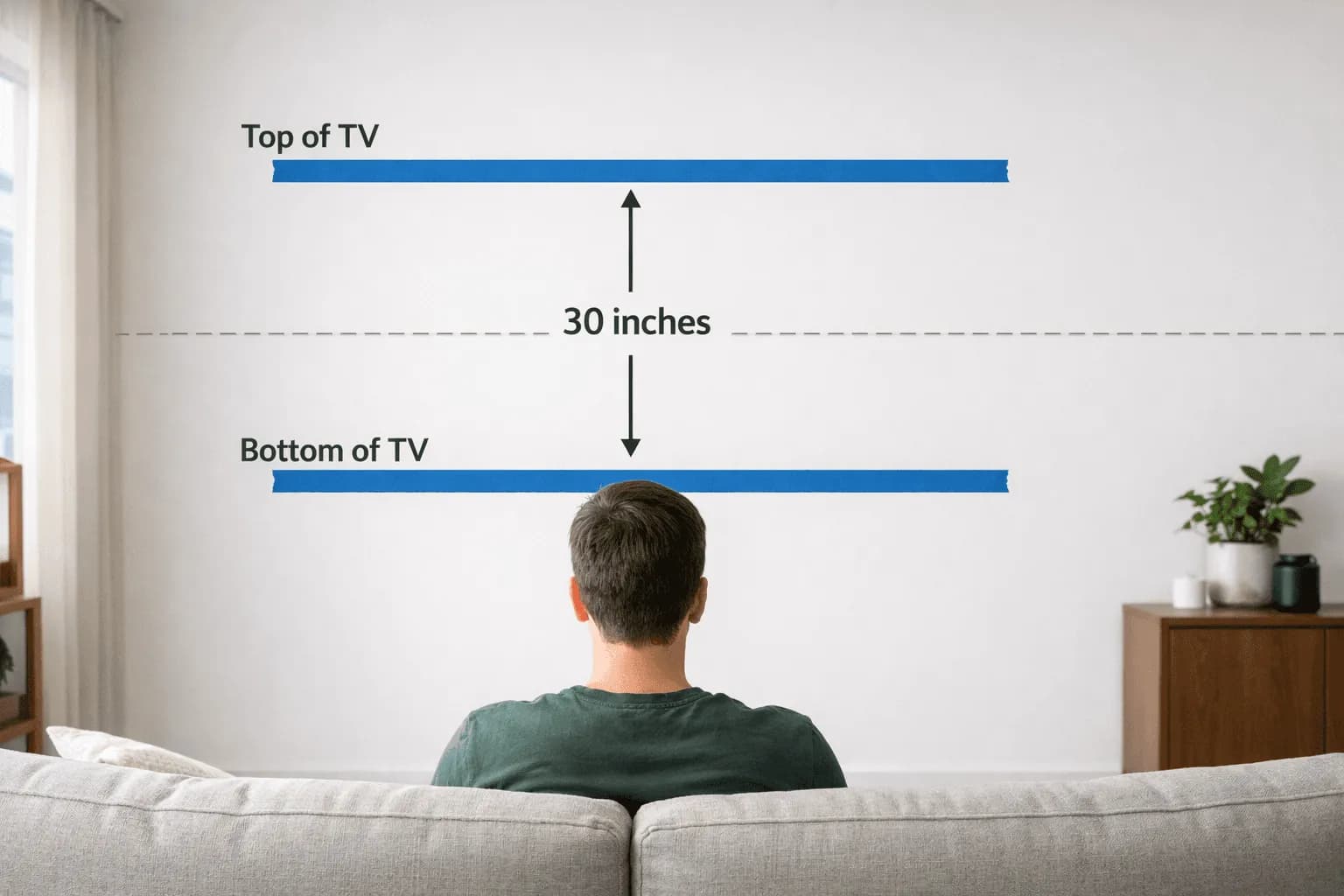
Wrong height. The Frame TV often gets installed higher than normal because people treat it like wall art. But the right height for comfortable viewing is still eye level when seated — typically 42–48 inches to center of screen. See our TV mounting height calculator for your specific room.
Not using a recessed outlet. The Frame TV needs a recessed outlet so the plug sits flat inside the wall. A standard outlet pushes the plug out, which pushes the TV away from the wall and creates a visible gap.
Why hire a professional
If you're spending $1,000–$3,000+ on a Samsung Frame TV, it's worth hiring someone to install it correctly. The TV is designed to look like art on your wall — and that only works when the mount is perfectly level, cables are completely hidden, and the One Connect box is properly placed.
We've mounted hundreds of Frame TVs across NYC and NJ. It's one of our most requested services.
Book your Frame TV installation →
FAQ
Does the Samsung Frame TV come with a wall mount?
Yes — every Samsung Frame TV includes the flush wall mount in the box. No need to purchase one separately.
Can I use a regular TV mount on a Samsung Frame TV?
Yes — the Frame TV has standard VESA mounting holes and works with any compatible mount. But a regular mount leaves a 2–4 inch gap from the wall, which defeats the flush art-frame design. The included flush mount is purpose-built for that look. If you want tilt or swivel, buy a separate mount and accept the gap.
Where does the One Connect box go?
The most popular option is passing the thin cable through the wall and placing the box behind a media console or inside a closet. For a fully hidden setup, the box can go in a recessed in-wall enclosure — but make sure it has ventilation since it generates heat.
Can I mount a Samsung Frame TV on a brick or concrete wall?
Yes — the flush mount works on any wall type with the right anchors. Brick and concrete require masonry anchors, but the mount itself is compatible.
How much does professional Frame TV installation cost in NYC?
Our Samsung Frame TV One Connect service (cable through the wall) is $299. The full Samsung Frame TV in-wall service (recessed box + complete concealment) is $799. Both include the TV mount, cable management, and Art Mode setup. See our TV mounting pricing guide for more details.
The Samsung Frame TV is worth the extra installation effort — when it's done right, it genuinely transforms a room. The key is treating it as a specialized installation from the start: flush mount, planned wiring, One Connect box location decided before the first screw goes in.
Book your Samsung Frame TV installation →